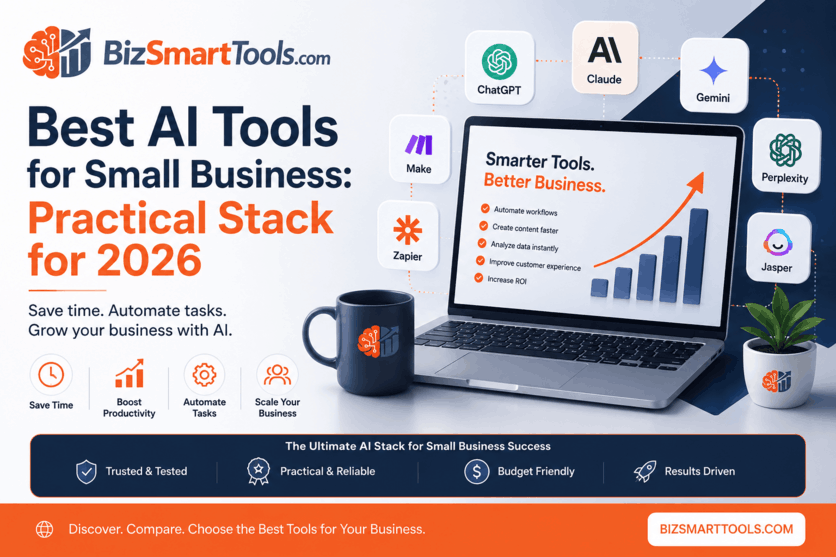
Small businesses rarely fail because they lack AI—they fail because they adopt too many overlapping subscriptions before workflows are clear. The goal is a short list of tools from the AI tools directory that map to revenue, operations, and customer communication.
Founders and operators get the best return when they match each tool to a repeatable job: drafting customer emails, researching vendors, publishing marketing content, or moving data between apps. This guide walks through practical stacks by business type and use case, with live BizSmartTools profiles for pricing and comparisons.
For many teams, a capable general assistant is the right first purchase because it supports brainstorming, rewriting, and lightweight analysis without a long implementation curve. The profile below shows current pricing and features for our top overall starting point.
Before you add more seats, confirm the assistant actually replaces work you already do weekly—not hypothetical projects. Revisit usage after 30 days and cancel anything that duplicates the same model access.
Top AI Tools for Small Business in 2026
Small businesses need tools that save time, reduce operational costs, and help teams achieve more without increasing headcount. The best AI tools today can assist with content creation, customer communication, research, automation, project management, and data analysis.
After evaluating dozens of solutions, these are the most practical AI tools for small businesses in 2026. The comparison grid pulls names, ratings, and pricing labels from the same JSON profiles used across BizSmartTools, so you can open a full review without hunting for stale list prices.
Summary of top recommendations: Start with one general assistant—ChatGPT, Claude, or Gemini depending on your ecosystem. Add Perplexity when decisions require citations. Layer Jasper or Writesonic if marketing output is weekly. Connect stacks with Zapier, Make, or n8n once CRM, inbox, and spreadsheet steps are documented.
Most small businesses do not need eleven paid AI products—they need three roles filled reliably: think (assistants), publish (writing/marketing), and move data (automation). The grid above is a menu, not a shopping list. Choose one winner per role, run it for a month, and measure time saved on tasks you already track. If a tool does not shorten a weekly checklist item, pause the subscription before adding another.
Assistants differ in tone, context window, and ecosystem ties—not just benchmark scores. Claude is often chosen for long PDFs and careful rewriting; Gemini for teams embedded in Google; ChatGPT for the broadest plug-in and custom GPT ecosystem. Microsoft Copilot is compelling when security policy prefers in-tenant AI over standalone accounts.
Automation should come after documentation. If your lead routing still lives in sticky notes, fix the process, then automate with Zapier or Make. Technical teams that need self-hosting or complex branches should evaluate n8n early so you do not rebuild zaps twice.
Focus on four questions before you add another line item:
When a tool passes those checks, compare it inside the AI tools directory, open individual profiles, and read linked VS pages such as ChatGPT vs Claude for head-to-head decisions.
General assistants—ChatGPT, Claude, Gemini, Microsoft Copilot, and builders’ tools like Google AI Studio—should be chosen based on where your files and meetings already live. Copilot wins when Word, Excel, and Teams are default; Gemini wins when Docs and Gmail are hub; standalone assistants win when you want model choice independent of a suite.
Marketing-led teams often add Jasper, Writesonic, or Copy.ai when templates, brand voice, and campaign volume matter more than generic chat. Operations-heavy teams pair documentation in Notion AI with connectors from the automation tools hub. Grammar and polish tools such as Grammarly belong after strategy exists—they shorten review time rather than replacing positioning.
Best AI Tools by Business Type
Business type changes priorities more than hype cycles. A five-person startup needs leverage per dollar; an agency needs client-ready drafts and handoffs; an ecommerce team needs fast merchandising copy and reliable ops glue. The sections below explain how to think about each profile, then the cards summarize recommended stacks with direct profile links.
Industry and revenue model still matter inside each type: B2B services firms stress proposals and SOPs; product shops stress SKU copy and lifecycle email; local services stress reviews and scheduling. AI does not replace positioning—it accelerates execution once you know which outputs repeat every week. Use the startup, agency, and ecommerce sections as lenses, then borrow tools from the use-case chapter when your workflow does not fit a single label.
Best AI Tools for Startups
Startups often operate with limited budgets and lean teams. The right AI stack can replace several software subscriptions and reduce manual work—if you standardize prompts and templates early.
Use a general assistant for daily drafting and planning, a research tool with sources before vendor or pricing decisions, lightweight documentation for SOPs, and one automation connector once a lead or invoice workflow repeats at least weekly. Avoid buying three writing tools before you publish consistently.
Recommended stack:
- ChatGPT for versatile daily tasks and customer-facing drafts
- Claude for long memos, policies, and investor updates
- Perplexity for cited research before commitments
- Zapier for first CRM or form-to-sheet automations
- Notion AI for wikis, onboarding docs, and meeting notes
Best AI Tools for Agencies
Agencies juggle client deliverables, briefs, and handoffs. Assistants plus marketing-focused writing tools and automation keep margins healthy when account leads can reuse templates instead of rewriting from scratch each week.
Pair a strong assistant with a marketing production tool when blogs, ads, or landing pages ship on deadlines. Use automation to route leads, attach files, or post approved copy—not to hide unclear strategy. Project delivery still belongs in your PM stack (many teams use ClickUp alongside AI tools).
Client work also means revision control: store approved prompts, tone notes, and exemplar paragraphs in Notion AI or your PM tool so freelancers do not restart from zero. When campaigns are multilingual, test whether ChatGPT or Claude produces cleaner first drafts for your primary market before standardizing Jasper templates.
Recommended stack:
- ChatGPT for briefs, outlines, and client email drafts
- Jasper for brand-consistent campaign and landing page copy
- Claude for long reports, audits, and documentation
- ClickUp (project delivery)
- Zapier for handoffs between forms, CRM, and notifications
Agencies that publish SEO content at volume often keep Jasper in the production layer while Claude handles strategy memos. Open the live profile to confirm seat pricing before pitching retainers.
Best AI Tools for Ecommerce Businesses
Store teams need fast product copy, campaign ideas, and reliable ops glue between storefront, email, and support tools. AI should shorten merchandising cycles—not introduce new silos.
Use assistants for product descriptions, FAQ drafts, and campaign angles. Favor tools that integrate with how you already work (Google Workspace vs Microsoft). Automate order tags, review requests, or inventory alerts only after the manual checklist is stable.
Seasonal peaks expose weak automation: if Black Friday requires fifty manual CSV edits, fix the playbook in November—not July with a new AI subscription. Gemini helps when merchandising spreadsheets and supplier email live in Google; ChatGPT remains the fastest general-purpose copy bench for variant descriptions and subject lines.
Recommended tools:
- ChatGPT for product copy, support macros, and promo ideas
- Gemini when Gmail, Docs, and Sheets are central
- Mailchimp (email campaigns)
- Shopify (storefront)
- Zapier to connect storefront events to email and support
Lean team, marketing-led, and Microsoft-heavy paths
Lean team (under five people): ChatGPT or Claude for daily work; Perplexity before vendor or client research; optional Zapier once a lead or invoice trigger is documented.
Marketing-led small business: Gemini or ChatGPT for briefs; Jasper or Writesonic for weekly publishing; Grammarly on customer-facing copy before ship.
Operations and Microsoft-heavy teams: Microsoft Copilot in-app; Notion AI for SOPs; Make or n8n when spreadsheets and CRM updates should run without copy-paste.
Pick one path above, then open linked profiles to confirm pricing and limits before you buy. Every URL matches routes in our AI tools directory and automation tools category.
Best AI Tools by Use Case
Use cases cut across titles: a founder writes, researches, and automates in the same week. Grouping tools by job helps you avoid paying for three products that all draft text. Below, each category explains when to buy, which tools fit, and how to validate fit with profile cards—not hype.
Content writing is not only blogs—it is every customer-facing string: onboarding emails, sales one-pagers, help-center articles, and social hooks. Research is for decisions that need sources: pricing, competitors, regulations, and partner due diligence. Automation is for handoffs you can describe as “when X happens, do Y in app Z.” If you cannot write that sentence, postpone the automation purchase.
AI Tool Pricing Comparison
Budget planning should combine list prices with realistic usage. Free tiers are excellent for trials; paid tiers appear when you need team seats, higher limits, or compliance features. The table below summarizes typical free-plan availability for planning—always confirm live pricing on each profile before renewal.
When you compare rows, ask two questions: Who touches the tool daily? and What breaks if we hit the cap? A solo founder may live inside free assistant tiers longer than a five-seat support team running hundreds of automation tasks. Document those answers next to the table so finance reviews are faster.
Paid marketing and Microsoft-ecosystem tools often anchor spend faster than assistants. Notion AI is a paid add-on to an existing workspace—worth it when documentation is already central. Microsoft Copilot bundles best when Teams, Word, and Excel are daily tools.
Assign one owner to review subscriptions quarterly. Cancel overlapping writers, and upgrade only where limits block revenue work.
Treat “free plan” rows as directional. Limited tiers may cap models, exports, or automation runs; paid tiers bundle seats and support. Marketing tools (Jasper, Writesonic) and suite copilots (Microsoft Copilot) usually anchor spend earlier than assistants. Automation tools (Zapier, Make, n8n) charge on tasks or operations—model your busiest zap before upgrading.
Recommended AI Stack Under Budget
For businesses trying to keep software expenses low, a four-tool core covers drafting, research, documentation, and light automation without enterprise contracts. The goal is breadth with minimal overlap: one assistant, one cited research tool, one knowledge base, one connector.
ChatGPT handles daily drafts; Perplexity supports decisions with sources; Notion AI keeps SOPs and meeting notes searchable; Zapier moves data once a workflow is stable. Start on free tiers, then upgrade the single tool that saves the most billable hours.
Revisit this stack after 90 days. If marketing output is weekly, add Jasper or Writesonic. If you live in Microsoft 365, evaluate Microsoft Copilot before duplicating assistant spend.
The budget stack works because each tool owns a different layer: generation (assistant), verification (research with citations), memory (documentation), and execution (automation). Overlap happens when teams buy two assistants and two writing tools without roles. Write a one-page “tool charter” that names the owner of each subscription and the weekly workflow it must improve—then cut anything that fails the charter in a 30-day review.
When You're Ready to Scale
Growth paths are clearer when you stage purchases. Stage 1 proves daily value; Stage 2 adds depth and glue; Stage 3 adds specialized production and heavier automation. Skip stages only when usage data—not excitement—supports the jump.
Stage 1 is discovery: one assistant plus research with citations. Founders validate prompts, tone, and time saved without integrating every app.
Stage 2 adds long-form quality, documentation, and your first durable automations—useful when more than one person touches the same playbook.
Stage 3 is for teams with steady content demand, complex scenarios, or Microsoft-centric workflows that benefit from dedicated marketing AI and advanced connectors.
Document what each stage must improve (hours saved, error rate, publish cadence) before you buy. Compare finalists on VS pages linked from profile cards so you do not pay for duplicate model access.
Building a realistic stack over time usually means: one general assistant for research and drafts; one customer-facing writing layer if marketing is weekly; one automation tool once leads, invoices, or tickets follow predictable paths. Revisit quarterly—cancel duplicate model access and upgrade only when limits block revenue.
Final Verdict
If a business adopts only one AI tool in 2026, ChatGPT is the strongest starting point due to its versatility across drafting, analysis, and lightweight automation prompts. Teams that live in Google Workspace should still trial Gemini; Microsoft-heavy shops should weigh Microsoft Copilot against a standalone assistant.
No single vendor wins every scenario. Research-heavy founders may lean Perplexity earlier; agencies may lean Jasper; ops leads may lean Zapier. The verdict is not “buy everything”—it is buy in order: prove daily assistant value, add research and docs, automate repeat paths, then specialize for marketing or suite-native AI.
Read comparison pages before renewals. Pricing, model defaults, and integration limits change frequently; BizSmartTools profiles exist so you can validate list prices and feature bullets without relying on stale roundups.
A practical long-term combination for many teams:
- ChatGPT for daily drafting and brainstorming
- Claude for long-form quality and documentation
- Perplexity for cited research before big decisions
- Zapier for repeatable app workflows
- Notion AI for searchable operating knowledge
Revisit the stack every quarter. Cancel tools that duplicate the same model access, and upgrade only where usage limits block revenue work. Continue with category hubs, comparison pages, and alternatives linked from each profile card in this guide.
Use profile cards throughout this article for live pricing badges, then jump to comparisons such as ChatGPT vs Gemini when two finalists remain. Alternatives pages linked from each tool profile help when budget or compliance rules out your first choice.
Internal linking and next reads
Continue with category hubs, comparison pages, and alternatives linked from each profile card above. For broader software research, browse free BizSmartTools utilities, the AI tools directory, and automation tool profiles to filter by pricing and use case.